
Rapid-Cleaner: AI-powered speed for your Windows PC
- Instantly free up RAM with AI-powered optimization
- Speed up system boot by reducing startup clutter
- Stop memory-hogging background processes
- Optimize memory usage in real time
- Keep your Windows PC clean, fast, and organized
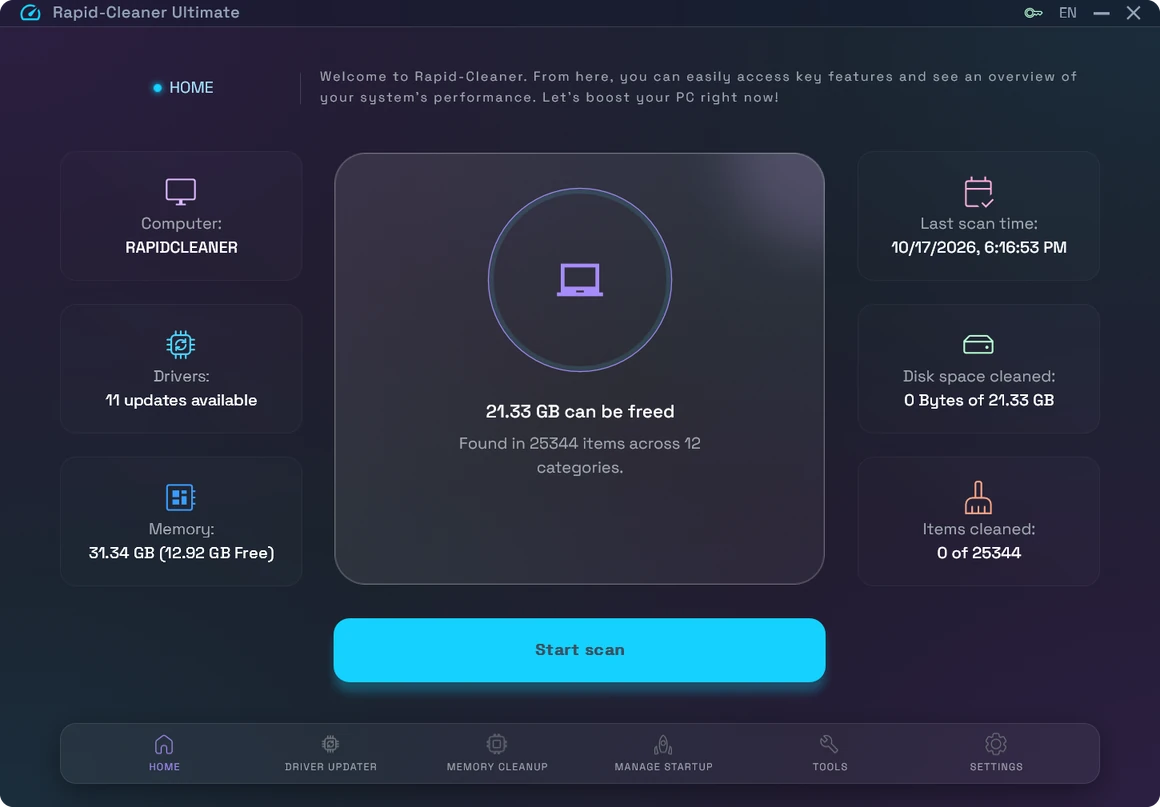
A modern system optimization platform built for performance, delivering intelligent cleanup, memory optimization, and faster PC responsiveness.
One-click speed boost

AI-powered memory optimization

Control startup and background processes
Smooth multitasking
Easy to use, no technical skills needed
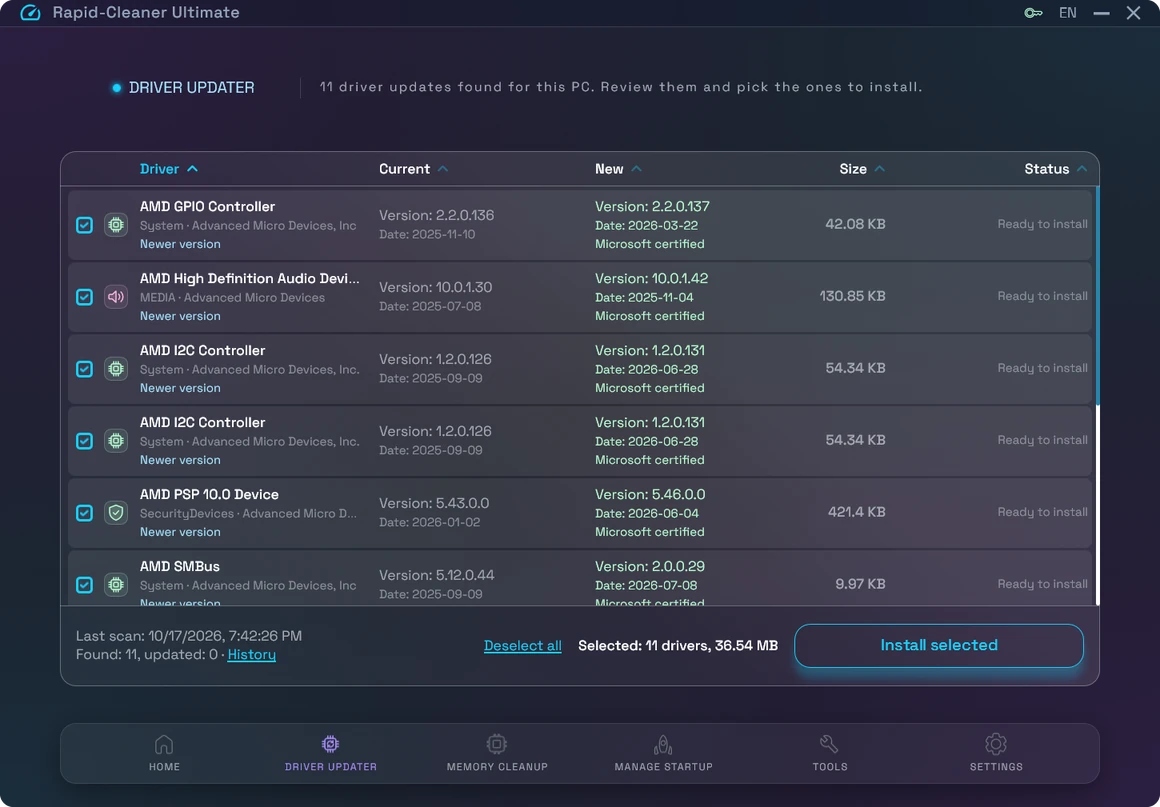
Keep your drivers up to date
Driver Updater checks every device in your PC and lists the drivers that have newer versions, with the version you have and the version you get.
Rapid-Cleaner creates a restore point before installing, and every update can be rolled back from History.
Driver Updater is included in Rapid-Cleaner Ultimate.
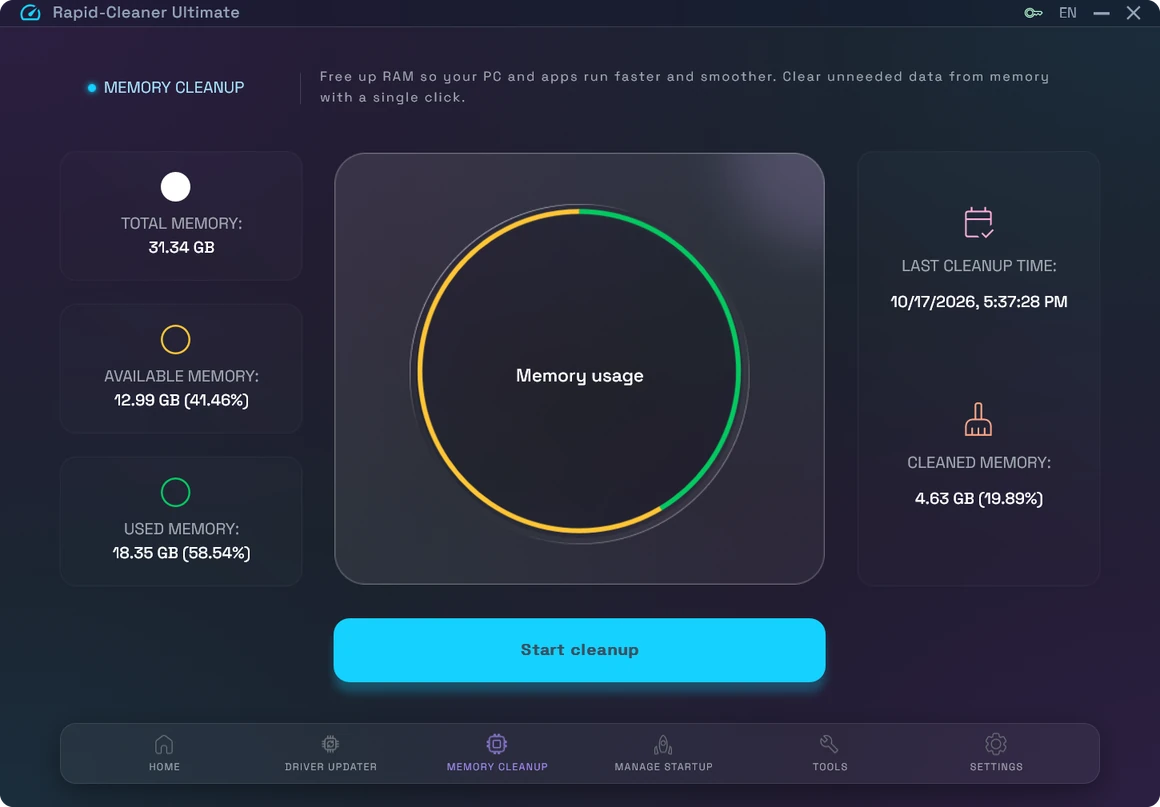
Clean up memory, speed up performance
Is your PC slowing down with too many open apps? Rapid-Cleaner uses AI-powered memory management to clear unused processes, reclaim RAM, and keep your system smooth without manual effort.
Forget about lags when switching between apps or working with heavy projects. With Rapid-Cleaner, your Windows PC stays fast and ready, even under load.
No noise, just clean performance from day one.
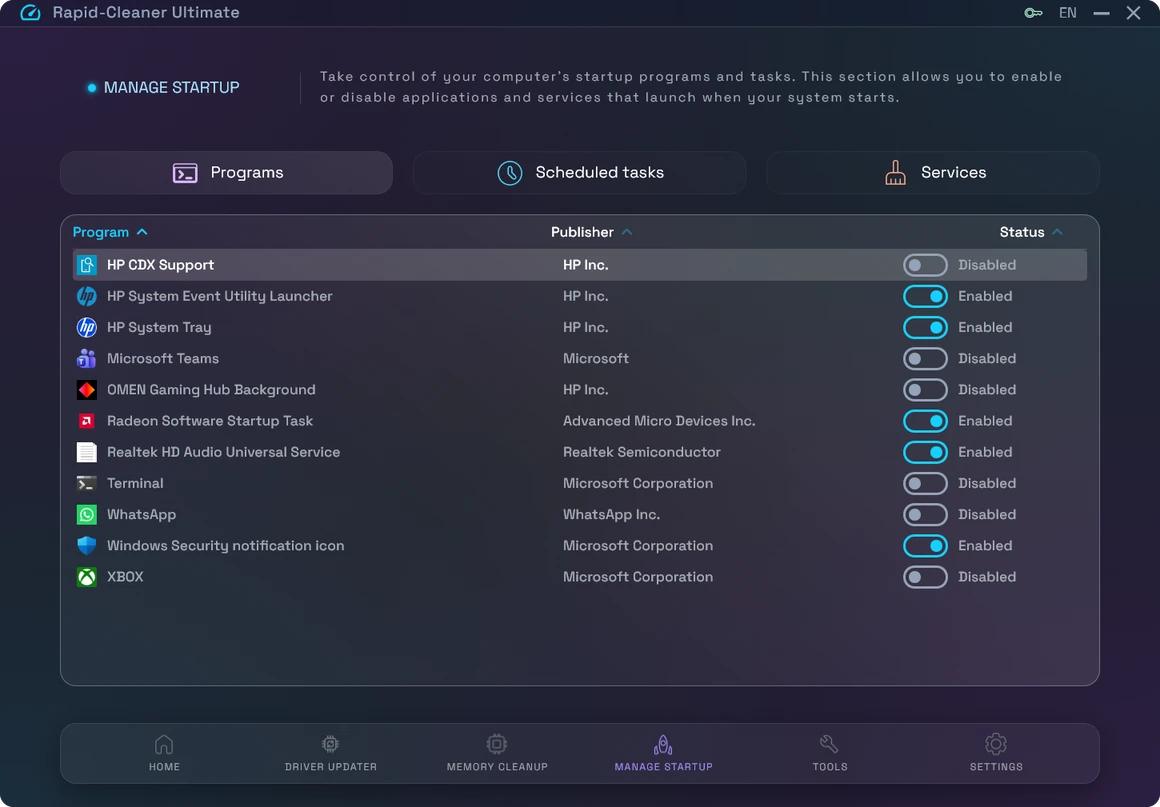
Take control of your Windows PC
Tired of your PC slowing down when you need it most? Rapid-Cleaner uses smart automation to manage background processes, optimize memory in real-time, and reduce distractions from unnecessary apps.
Whether you’re in a meeting, editing a video, or playing your favorite game, Rapid-Cleaner keeps your PC focused on what you are doing — automatically.
No more manual closing of apps. No more guessing what’s slowing you down. Just a PC that stays fast, so you can stay productive.
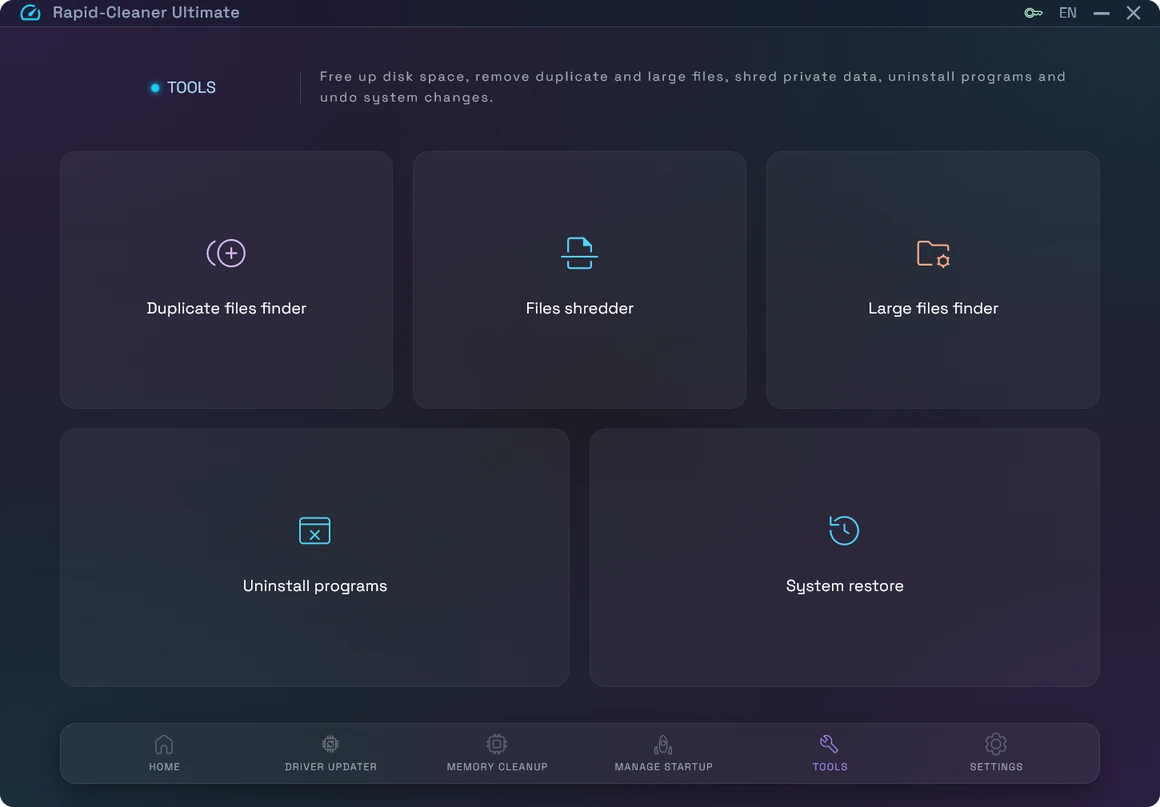
Keep Your PC Organized with Smart Tools
Need more control over your storage and data? Rapid-Cleaner includes a set of powerful tools designed to keep your PC clean, organized, and secure — without extra effort.
Easily find and remove duplicate files, securely delete sensitive data, and identify large files that take up valuable disk space. Everything you need to maintain a tidy and efficient system, in one place.
No clutter. No guesswork. Just smart tools that work when you need them.
Customize Rapid-Cleaner to Fit Your Needs
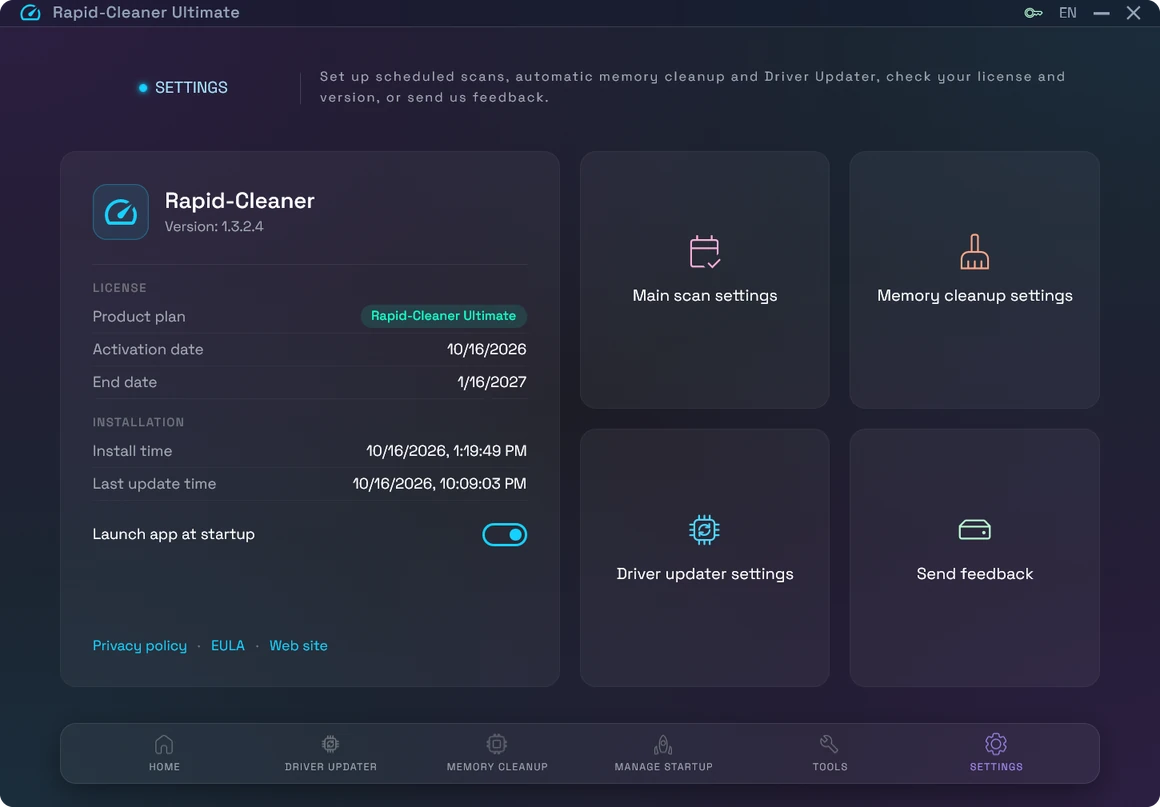
Take full control of how Rapid-Cleaner works on your PC. In the Settings section, you can fine-tune scan behavior, memory cleanup preferences, and notification options to match your workflow.
Manage automatic optimization, review version details, installation date, and the latest updates — all in one place. Rapid-Cleaner works the way you want, with clear settings and no hidden changes.
Customize scan behavior
Adjust memory cleanup preferences
View version and update details
Frequently Asked Questions
1. What is Rapid-Cleaner, and how does it help?
Rapid-Cleaner is an AI-powered Windows optimization tool designed to keep your PC fast and responsive. It frees up RAM, stops heavy background processes, and manages startup apps automatically, helping your system run smoother and faster with zero manual effort.
2. Will Rapid-Cleaner delete any of my personal files?
Only the files you choose. The main scan looks for junk such as temporary files, caches and leftovers of removed apps, and shows you everything it found before anything is cleaned. “Duplicate files finder”, “Large files finder” and “Files shredder” delete only the files you review and select yourself.
3. Is Rapid-Cleaner safe to use?
Yes. Rapid-Cleaner shows you everything before cleaning and removes only what you review and select. Before Driver Updater installs a driver, Rapid-Cleaner creates a restore point, and every driver update can be rolled back from History.
4. Do I need to know anything technical to use Rapid-Cleaner?
Not at all. Rapid-Cleaner is designed for everyone, even if you’re not tech-savvy. Just install it, click optimize, and let the AI handle everything while you focus on your work, gaming, or studies.
5. Can Rapid-Cleaner speed up my PC startup?
Yes. Rapid-Cleaner includes a Startup Manager that helps you control which apps launch on startup, reducing boot times and freeing up memory from the moment you turn on your PC.